Yes! You can open the event galleries to show the photos on a TV or big screen.
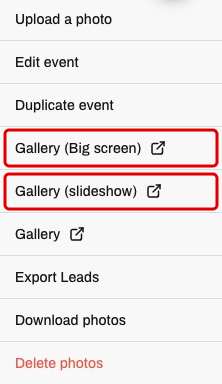
- On the event page, click Options.

- Choose Gallery (Big screen) to show several photos at once or Gallery (slideshow) to show one photo at a time.
- Use the gallery link in the browser on the display device, or on a computer connected to your TV or projector. You do not need to change the settings to open these links.